 TestNeo
Performance · Quality Insights
Tests can pass.
The app can still be unhealthy.
Lighthouse scores and Core Web Vitals on every run. Quality Insights captures console errors, failed HTTP, WCAG (axe-core), and security headers during the same Playwright execution.
Lighthouse
LCP · FID · CLS
axe-core a11y
Console & network
Security headers
Real product UI — Performance tab
The same Performance Analysis screen from the TestNeo app — execution trends, volume, and distribution.
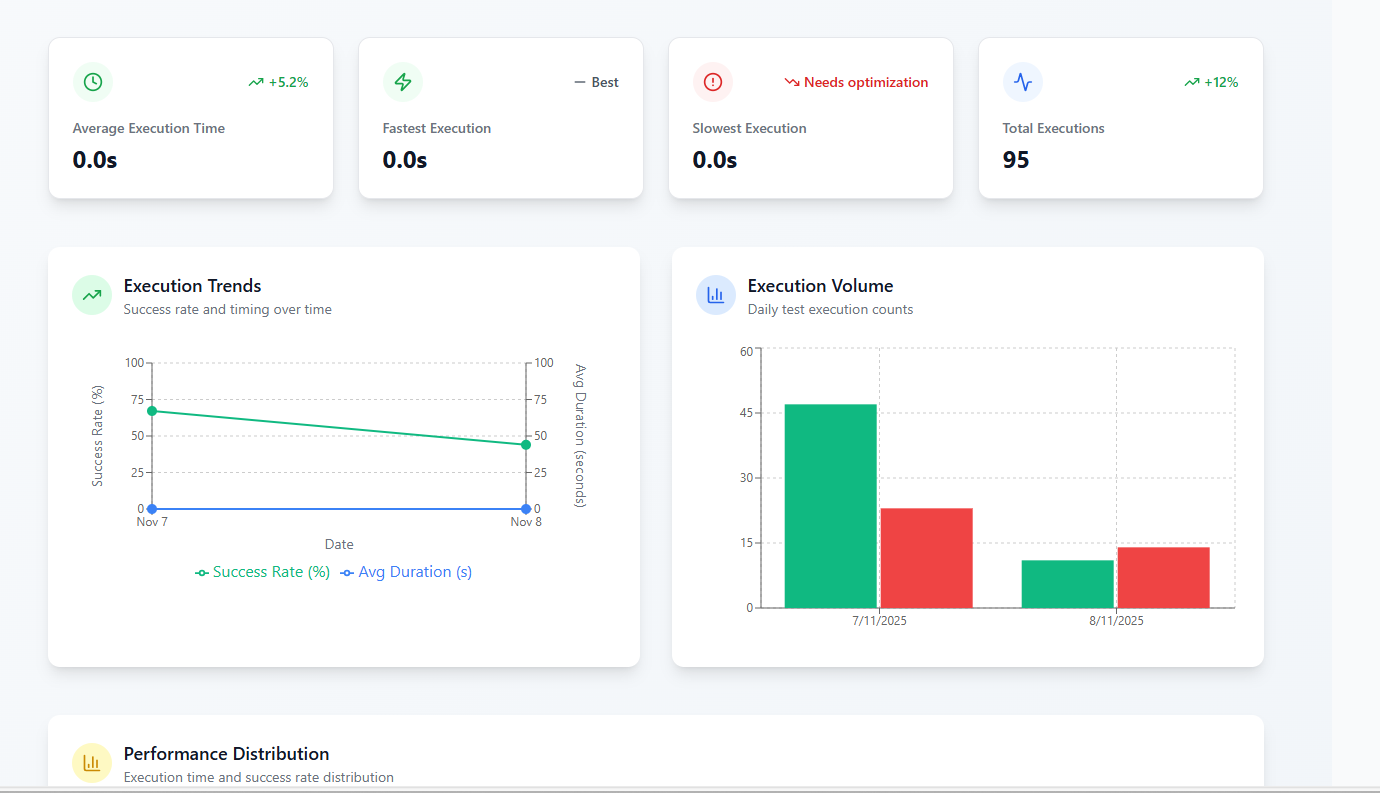
Lighthouse on every run
Performance intelligence
Automated Lighthouse audits and Core Web Vitals trends baked into test execution. Regressions surface before deploy.
- Automated Lighthouse audits on every test execution
- Tracks LCP, FID, CLS trends across releases
- Pair with k6 Load Insights for API throughput & p95
LCP
1.8s
FID
45ms
CLS
0.12
↑ 3pts vs last release · CLS needs attention
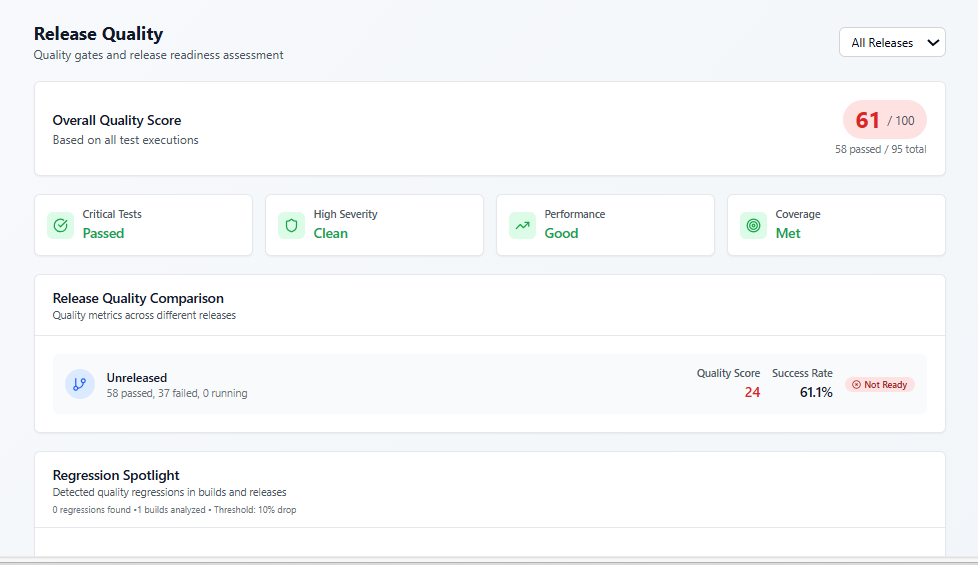
Quality Insights + Release Quality screen
Green tests only answer “did our script succeed?” Quality Insights answers “was the application healthy?”
Runtime app health
Quality Insights inside every run
Console errors, failed HTTP, WCAG accessibility (axe-core), and security headers — captured during the same Playwright run. Project setting; default off.
- Per run: verdict on the execution Quality tab (Healthy → Critical)
- Per release: Analytics → Release Quality → App Quality trends
- Two lenses: Test Readiness vs App Quality
- Complements Lighthouse — runtime behavior during functional flows
Release Quality · App Quality
Test Readiness
App Quality
Test readiness
94%
tests passed this release
App quality
93%
runs healthy · 3 degraded
⚠
Degraded — serious a11y on mozilla.org
Test passed · 1 axe violation (
blink) · 0 console errors0
Console
0
HTTP
1
A11y
5
Security
blink — deprecated element
A11y
Missing CSP, HSTS, X-Frame-Options
Headers
Also on Pro: visual regression AI
Pixel diffs, flaky regions, and bulk baseline approve — same project as performance.